
Tips on how to begin a podcast in 14 days
Between the sound equipment, hosting options, learning to edit, and everything else that goes into starting a podcast, the concept can be overwhelming. But I'll tell you a little secret: it's not that difficult to start a podcast.
In fact, you can have one up and running in about two weeks. In this post, I'll describe exactly how to do that.
The order of my steps might look a little shaky to you. This is because if you want to start a podcast in two weeks, actions that you normally hold back will have to be done sooner as they will take longer.
None of these tasks should be done in a day. The day simply indicates when you should start each step.
This timeline is intended to give you an idea of how to prioritize your work. However, you don't have to follow them exactly. If you're working with a team, some of these steps can be done at the same time.
For example, you can let your creative department work on your artwork while the editorial team wipes out the content calendar and you reach potential guests.
Why start a podcast?
According to Edison Research, the number of monthly podcast listeners in the US increased by 17 million people from 2018 to 2019. The number of podcast listeners is projected to increase by 20 million each year and exceed 160 million by 2023.
For example, let's say you're looking for a new way to generate income, raise awareness, or improve conversions. In that case, podcasting might be just the ticket, especially if you're trying to reach a younger audience. In 2020, according to Statista, almost 50% of podcast listeners were between 12 and 25 years old, and 40% were between 25 and 54 years old.
Start a podcast Day 1: Do research on radio and podcasting
Horror author Stephen King has written more than 50 books and sold about 350 million. His advice to new writers? Read. Read everything you can get your hands on because reading the work of others and understanding how all types of novels are written will affect your own writing.
The same goes for podcasting. Listen to all kinds of podcasts from different genres. Also listen to radio broadcasts old and new. They are the ancestors of the modern podcast, after all.
Take notes whenever you hear something you like – a format, an interview technique, an introduction, anything. When it's time to create your podcast, you can pull out your notes and incorporate these elements into your show.
Start a podcast Day 2: Research and Buy the Right Podcasting Equipment
At the very least, you'll need a decent microphone, recording and editing software, and a quiet place to record your podcast.
While you can use a computer microphone, an external microphone, preferably one with a pop filter, will pick up the sound of your voice better without too much background noise. You should also consider purchasing isolation shielding if your microphone allows it.
And that quiet place to record your podcast? Choose a small room if you can, ideally one with a door that closes and a reasonable amount of insulation in the walls.
All the better if you can furnish a room with soundproof panels. All of this not only reduces background noise, but also reduces the echo in the room.
When all of these aren't possible, something as simple as a clothesline with a blanket surrounding your recording room can make a world of difference. You can get a custom acoustic ceiling or just use one from your linen closet.
Finally, find and select the best recording and editing software for your podcast. The most popular recording apps are
- Garage tape:: Works with Apple products and allows you to record and edit your podcast, as well as create original music that you can use for free
- audacity:: Works on Windows, macOS, GNU / Linux, and more, and allows you to record and edit audio for free
- Apple Logic Pro X.:: Works on Mac, connects to GarageBand, offers advanced tools, and has a one-time purchase price of $ 200
- Adobe Audition:: Works wherever Adobe products work. You can edit, record, and create sound effects for $ 20.99 per month (or a portion of the Creative Cloud including Photoshop for $ 52.99 per month, but you can also edit images for your show.)
But you can also use Skype, Zoom, or Otter.ai to take your shot and then upload your file to one of the programs mentioned above for you to edit.
Start a podcast Day 2: Determine your podcast content goals
Every part of your content plan has a goal, right? What Would a Podcast Do For You? Would it:
- Increase awareness of your brand?
- Be a way to promote new products?
- Are you positioning yourself as an expert in your field?
Remember that all content has the same end goal: to solve a problem or pain point for the audience.
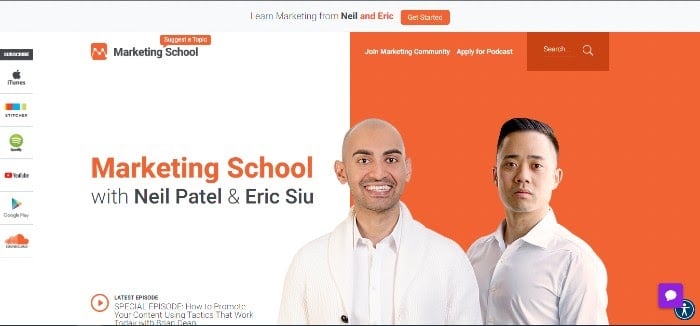
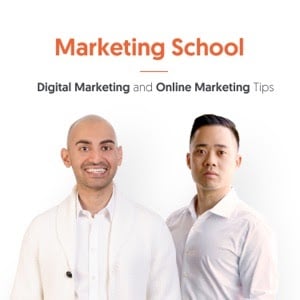
For example, in my Marketing School podcast, which I moderate with Eric Siu, the brands' marketing problems are addressed directly. Every week we share and discuss best practices to help brands grow their business.
However, some branded podcasts don't go that straightforward. Some brands even create content for entertainment – but even this type of content solves one problem: boredom.
For example, GE has two science fiction podcasts: The Message and its sequel, Life After. These tie in with existing GE technology to decipher foreign messages and solve futuristic problems.
However, there are many ways you can solve a problem for your audience while meeting your content goals.
GE aims to increase awareness of its technology and expand audiences.
Our goal at the Marketing School is to raise awareness of our content marketing services and increase conversions.
Remember, whatever your goal, a podcast can increase brand recall by more than 4%, and 61% of listeners exposed to podcast ads for big brands were more likely to purchase these products.
What is the problem you want to solve for your audience? How are you going to solve it?
Start a podcast Day 3: Identify your podcast audience
If you already have a strong social media presence, your target audience and audience personalities may be up and running. And you can use your podcast to reach that audience on a different channel, especially as they move away from traditional social media.
However, consider using podcasts to expand your audience. After all, a podcast should fit into your holistic content marketing strategy. It can be another tool to help increase your brand awareness.
If so, identify the audience you want to get noticed about your brand and make sure that you can only reach them through podcasting.
Start a podcast Day 4: Choose your podcast format
I've already talked a little about the format. For example, my podcast is either a monologue or a dialogue format in which Eric and I discuss a marketing topic for content or social media together or separately and share our findings.
Monologue or dialogue formats are ideal for podcasts on teaching and instructions.
The GE podcast follows a theater format reminiscent of the old radio plays. It's a great entertainment format. GE has found a creative way to include its products, but not all branded podcasts discuss their products directly.
Some of the other more popular podcast formats are:
Interview podcasts
The interview podcast is just that; A question-and-answer format in which the presenter interviews guests on a topic related to the content goals of the podcast.
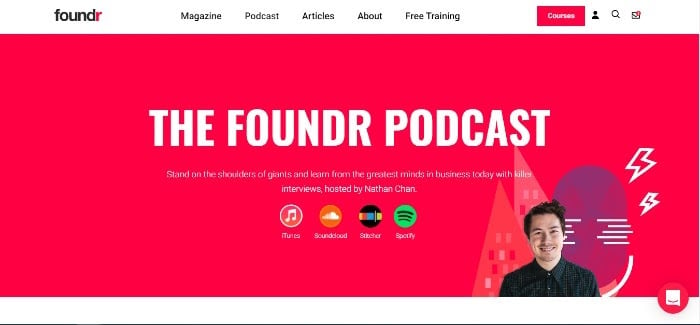
Foundr Magazine founder and CEO Nathan Chan interviews entrepreneurs and startup executives on his Foundr Podcast podcast to educate other entrepreneurs on everything from marketing to raising capital to growing their business.
Informal discussion podcasts
For an informal discussion, two or three people, whether hosts or hosts and guests, choose a topic and discuss it freely without a script. A host might have some bullet points to keep the conversation on track, but there is no other script to talk about.
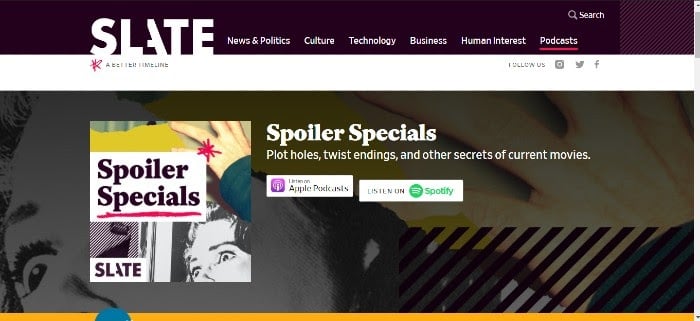
Slate Magazine's Spoiler Specials bring film critics together to discuss current films. There are many spoilers. Although they don't advertise the brand, they position them as an SME in film and entertainment.
Panel podcasts
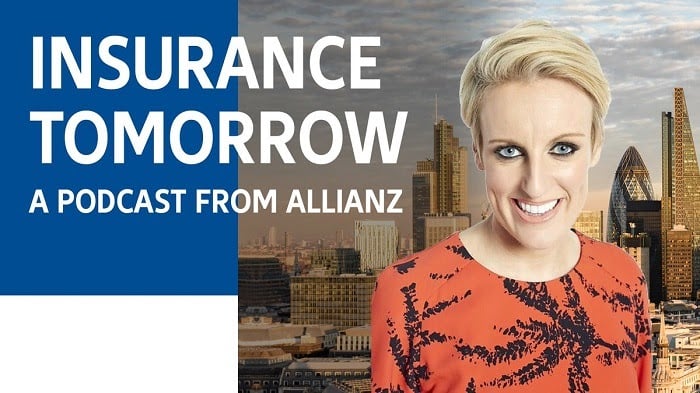
Insurance broker Allianz is hosting a podcast of panel discussions called Insurance Tomorrow, in which panelists discuss current events and their impact on the insurance industry.
In this type of podcast, a moderator starts the discussion and keeps a list of questions or bullet points to keep the conversation on track.
Journalistic podcasts
A journalistic podcast can take several forms. It can just pass the news of the day or tell longer stories, much like you would hear on a news broadcast.
For a branded podcast, the longer version is probably the best. And it doesn't necessarily have to be related to your product.
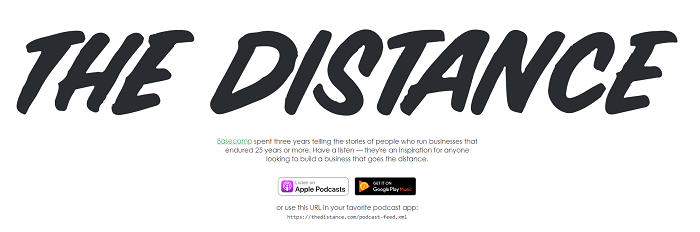
For three years and 58 episodes, Basecamp's podcast The Distance used a journalistic approach to telling the stories of small businesses that had been in business for 25 years or more. The idea was to inspire other small business owners.
Start a podcast Day 5: start choosing your concept
Once you know your audience and content goals, you can start brainstorming the podcast concept and topics.
Your concept should be unique. Check out other podcasts for inspiration. Make sure, however, that you are not duplicating an existing podcast.
Your concept should relate to your brand and products in some way. The GE podcast, for example, is closely related to technology.
Ultimately, your concept should appeal to your audience and solve a problem for them.
Choosing a concept requires market and audience research. You may even want to interview superusers of your product to get an idea of the topics they would be interested in.
Start a podcast Day 6: start looking for a name
There are a few different ways you can name your podcast. You can use the content of your podcast, your name if you have a decent following, or your company name if it's well known.
For example, Blue Apron's podcast refers to the content: Why We Eat What We Eat.
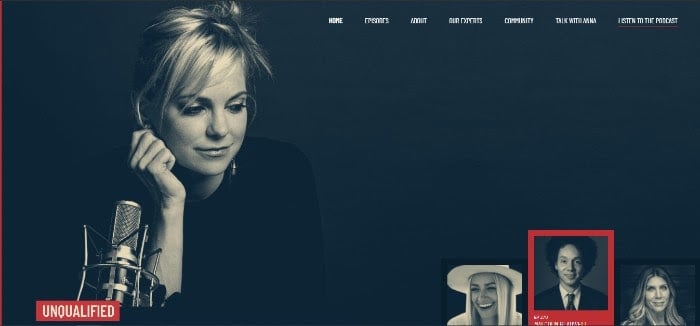
Meanwhile, Anna Faris' podcast uses her name: Anna Faris is unqualified.
Whatever you do, make sure your title is clear, catchy, and memorable – and not yet taken. Of course, it should also contain keywords to help you find it.
You should also look up both your chosen name and variations of it, combined with “Podcast,” “TV Show,” “Book,” “Movie,” and anything else you can think of can force you into SERPS. Not only do you look for these on Google but also on social media websites.
Start a Podcast Day 7: Start by designing the thumbnails of your podcast
Apple and other podcast hosting platforms need graphics for your podcast so it can show something when you search.
In this step, we will focus on what will appear in podcast apps themselves. What you saw above is more like the big cover photos (more on that later). What we see now looks more like Instagram pictures in the form:
Apple remains the big name in podcasting – after all, "Podcast" stands for "iPod Broadcast!" So, you want to follow Apple's recommendations for creating a good cover design:
- Keep it simple and easy to spot, with relevant pictures.
- Have your podcast title visible in clear, large font.
- Keep it to a maximum of 3000 x 3000 pixels.
- Avoid logos used by others.
- Don't put graphics at the bottom of the image – they could be hidden in apps.
- When creating your art, keep dark mode in mind.
Where do you get this art from?
There is an incredible team of artists available to you in a perfect world – use them if you do. But not everyone is so lucky and you may need to find someone to do the job for you. Consider:
- Check out podcasts' show notes to see who is credited with logo creation. Could you contact them too?
- Check out freelance websites like Fiverr for freelancers.
- Create your own through apps like Canva – just check all copyright rules before committing to the final product.
Start a podcast Day 8: Create your content calendar
Now is the time to determine how often you post new episodes and what those episodes are about. Brainstorm topics and keywords for your episodes and write down a list of the guests you might want on the show.
Create a content calendar with enough time to schedule your guests (if you have one) or write your script (if that suits your format) and record, edit and publish your podcast.
Start a Podcast Day 9: Write Your Podcast Script and Find Your Music
Developing a full script can take anywhere from a day to a few weeks, depending on the format, research effort, and the number of review levels being reviewed. But here are the basics.
The podcast script
The type of script you write – if you write one at all – depends on the format you've chosen for your podcast. Most podcast scripts contain the following:
- Themed music
- An intro that mentions the name and concept of the show, describes the theme of the episode (including keywords), and introduces all of the guests.
- An outro or conclusion that concludes the show and includes a call to action. Your call to action should ask your audience to rate, review, subscribe, join you on social media, and most importantly, get the word out.
If you want to give your podcast a more informal feel, you can just write an outline or some bullet points of what you want to talk about and then ripple through your topic from there. Or you could write a full script but be ready to go off course with your cohost and joke.
Once you've chosen a narrative format like GE's podcast or even a how-to format, you need to develop a fully elaborated script.
For a tutorial on writing scripts, see the NPR Student Guide. It contains lots of helpful tips to get you started.
Podcast music and sound effects
Most podcasts have some type of music before the intro to their show. If you want something unique for your podcast that matches your branding, this is what you want to commission.
As with art, you can hire a local musician or friend, a freelancer from a site like Fiverr or through a local job board, or ideally, have someone in your office. No matter who you use, make sure you credit them all of the show notes – it's just good practice.
If you don't want to hire anyone, you can check out royalty-free music sites like bensound.com. These generally allow you to browse music in a variety of genres.
There are also free sound effects subscription services like Zapsplat if you need sound effects for your podcast. As with music, some of the recording options we talked about a while ago have these available too.
Start a Podcast Days 10 and 11: Record Your Podcast
It's finally time to record. However, there are some best practices that you should follow. Even if you enjoy speaking in front of a crowd, podcasts are different from setting up a sound system and using a microphone.
Use your podcasting microphone properly
The good news is that most of your recording devices – especially if you've bought them from some superior brands – likely have videos that you can watch to set things up and use appropriately.
You can usually find these on the company's website or on YouTube. You may also be able to find podcasters using them on YouTube, and their tips may even be more helpful than the company's as they have already done hands-on troubleshooting.
Here are some best practices:
- Make sure your microphone is stable: If you are using a microphone stand, make sure that it is not easy to tip over.
- Get your distance right: If you are too far away you will sound like you are speaking from a distance. If you're too close, you'll either sound too loud or capture too many things like breaths. Two to three inches is usually best, but you will want to try different things with your microphone. With a pop filter, you can potentially be a little closer to your microphone.
- Orient your microphone accordingly: There are a number of different ways you can do this and what works best for you is up to you. You could have the microphone angled right in front of your mouth, giving you the greatest clarity and "fullness" of your voice. However, you can turn your microphone slightly away to avoid high frequency issues.
- Check your microphone level: "Gain" and "input level" mean the same thing, and your microphone setup may use one of the two terms to describe the controls for recording the signal. Speak into the microphone in the tone you want to use and adjust it until you are in the -10dB range. If you're using headphones, adjust the knob so you hear a hum, then turn it down a little if you're using GarageBand or Audacity.
- Take a test shot: Use the full range of voice you want to use on your podcast. If you know you are excited or upset, talk about these things the way you would on your show – as well as things you would talk about in your normal voice – so that you can hear yourself and the levels and can change the microphone angle and distance as needed.
Best practices for recording your podcast
After you've tested everything with your microphone and other recording devices, it's time to get to work. Make sure your recording studio is closed to others and that people know they are not allowed to enter while you work, and go for it!
However, as with using microphones, there are some best practices while you are recording:
- First, warm up your voice: Do some vocal practice so that your voice is optimal throughout the recording.
- Check your levels again: You can sometimes do this before you even start recording, sometimes after. Make sure everything still looks right and adjust if necessary.
- Start with the silence: Allow about five to ten seconds of rest at the beginning of the episode. Watch your levels to make sure your breathing or other sounds that aren't normally there are not being picked up. This allows your app to read the actual background noise level so you can edit it accordingly later.
- Watch out for filler words – but don't panic: "Filler words ”are the things we say without realizing it, like“ um ”,“ how ”and“ okay? “If you don't add anything. We all do this, so don't be ashamed of them. Pay attention to your filler words and try to avoid them. Remember, however, that you can edit many of these often later. As you go through more episodes, you will likely be better off not using them.
- Find a way to jot down mistakes for easy editing: This is especially important if you are editing the show yourself. If something happens that you don't want your audience to hear – a big trip over words, a sneeze, a barking dog, a train passing by, something that just came out wrong, etc. – find a way to make it visible in yours Machining process. This could be a long silence or three finger snaps on the microphone as this shows a big change in volume. You can also write down the time the problem arose. If you're having someone edit, you can just say “cut” right in the recording.
- What if a noise problem is inevitable? Let your audience know. For example, if you can hear your neighbor mowing the lawn but you are about to record, just mention it and move on. Or when you recover from a sore throat but can't miss an episode? Just tell them. People are usually pretty understanding.
- Keep excessive noise away from your microphone: Take a sip of water? Turn away. Paper notes? Keep them away from your microphone. Clean the nose? Well, maybe you do the editing hint above.
Start a podcast Day 12 and 13: Continue editing
Wait at least a day to edit your podcast and then another day to get final approval. This is the case when you add your music and sounds, edit bugs, or take out entire parts that you think won't add value to the podcast.
As with recording, there are some best practices for editing. If you have a professional on board, you probably don't need to worry about that. However, if you are doing it yourself, it is a good idea to take some time to learn more about it. Fortunately, YouTube is very handy for such things.
While best practices vary slightly depending on the editing software you're using, here are the basic steps to follow when editing – be sure to wear headphones. While this advice is intended for Audacity users, it applies to most editors:
- Listen to the material before doing anything else. Write down the times of the things you want to change.
- Use the noise reduction tool to remove background noise. That's why we recorded this silence at the beginning. (We did this too so you would have a background noise level that you can paste elsewhere, so don't delete that silence until you're done.)
- Get rid of what you don't want in terms of content.
- Remove other sounds that you don't want. This includes filler words. However, be careful not to overdo this as you don't want to sound unnatural. If you're cutting out noise or some other short piece of audio and you're sounding like your words are jumping over each other, this is where adding some of that silence comes into play from the start.
- Normalize at around -2.0.
- Amplify whatever is too quiet.
- Compress and balance.
- Add your music, sound effects, and if your hosting site doesn't automatically do so, advertisements.
For full details on editing, see this article from Podcast Rocket.
Start a Podcast Day 14: Publish and Promote Your Podcast
Okay, this one is a bit out of order – we're talking in-the-trenches promotion, not pre-show promotion. When starting a podcast for your brand, make sure to educate your audience before your first episode. Hype them up.
Here's a fun fact: when you publish your podcast to the three main platforms Apple Podcasts, Spotify, and Google Podcasts, you're already in front of 95% of all podcast listeners!
A common misconception about podcasting is that these platforms will host your podcast. Not so. You need to sign up for a hosting site like Buzzsprout first. Some hosts will automatically send your podcast to multiple platforms while others may require you to run it manually. You do this using your RSS feed, which you can find in your account on your hosting site.
Your RSS feed needs the correct tags, your visuals, and at least one episode to be accepted. Once you've submitted everything, you're good to go!
Now is the time to start promoting your new podcast. Use your social media and website to do this, but consider other options as well. For example, if you have a guest on the show, make sure they promote their participation. You can also buy ads on social media or other websites. What if you have a brick and mortar business? Place signs with QR codes on your podcast's website, post them on your main website, social media, or use Linktree.
Beyond two weeks: follow your podcast
Your podcast host, Apple, Google, and Spotify provide analytics so you can keep track of how your podcast is performing. In addition, Chartable compiles the data of several apps so that these can also be helpful. Use this information to help advise when to post, how well you are promoting them, and what your next episode should be about.
Make sure to google your podcast multiple times over the following weeks to see if you've been picked up by platforms you didn't know about. So you can add these options to your "listening location".
You should also keep an eye on the reviews. Many podcast apps don't have ratings, but Apple does. Ratings aren't the be-all and end-all, but they can help you move charts up, promote your show better (if the ratings are good), and figure out where to improve. Keep in mind, however, that not all reviews are valid – they could be from competitors or from people just looking to complain. So use your judgment about how to proceed after reading it.
If you can't start a podcast from scratch, work with someone who can
Even corporate brands sometimes need a little help with podcasting. If you don't have the time or resources to get your podcast started, try partnering with a brand or company that can.
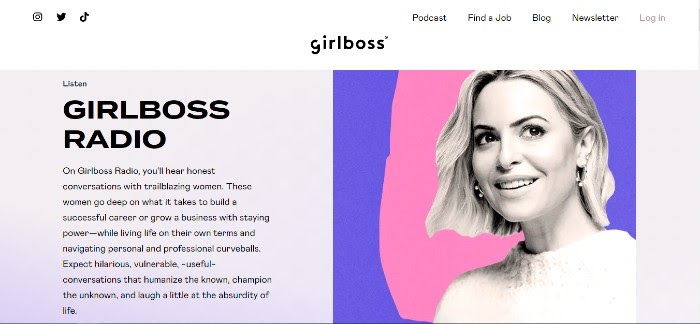
For example, Sephora worked with GirlBoss Radio to create a branded podcast called #LipStories. The podcast contains interviews with notable women from around the world.
Conclusion
Podcasts can help your brand reach a whole new audience, and starting a podcast doesn't have to be as stressful as it might seem at first glance. If you follow these steps and make your podcast SEO friendly, you may be well on your way to increasing your sales.
And maybe even have fun doing it.
What kind of podcast are you thinking of? How can it help your brand?